Programs in this repository
They all run on any desktop with GTK 3 — Gnome, KDE, Xfce, Cinnamon. Twenty-two languages, light and dark appearance.

Where Did My Storage Go?
Shows where your disk space went as a colourful treemap. One click zooms in, what you tick goes to the trash.
wheredidmystoragego

jsCPUInspector
Every detail of the processor, mainboard and memory: cores, caches, code name, graphics unit and every memory slot.
jscpuinspector

jsLinuxCleanup
Shows what quietly fills the disk and what is installed — with the date you last used it, and says for each entry what removing it costs.
jslinuxcleanup

jsDevCleaner
Finds the caches, SDKs and build folders left behind by developer tools — and says for each what removing it costs you.
jsdevcleaner

jsSysInfo
Keeps an eye on what the machine is doing, right in the panel — processor, graphics, temperature, network and memory. One click opens the details.
jssysinfo

jsCPUMonitor
A small window that stays on top shows what each processor core is doing, along with clock speed and temperature.
jscpumonitor

jsShowHardwareInfos
Shows every hardware detail the computer reports about itself: processor, memory, graphics, drives, network and sensors.
jsshowhardwareinfos

jsFileManager
Two folders side by side, with the buttons between them that move files from one side to the other. While a copy runs you see how far it has got, how fast it is going and what went wrong.
jsfilemanager
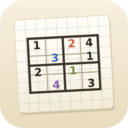
Budbrain’s Sudoku
Sudoku from 4×4 to 25×25: a hundred levels on notebook paper, a daily puzzle and a wall holding every board you solved.
jssodoku
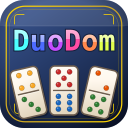
DuoDom
Slide dominoes together: matching dots or the right sum dissolve a pair. Endless levels with dynamite, a joker and a diamond — and every one can be won.
jsduodom

Budbrain’s Mahjong
Mahjong solitaire with a hundred levels: two matching free tiles disappear, ten hand-drawn tables, and every board you clear is kept as a picture.
jsmahjong
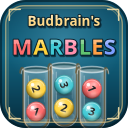
Budbrain’s Marbles
Sort marbles by colour: pick a tube, then the target — the top marble flies over in an arc. A hundred and five puzzles on five beaches, and every single one can be solved.
jsbudbrainsmarbles
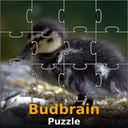
Budbrain’s Puzzle
Forty photographs as jigsaw puzzles, each in six sizes from thirty to a hundred and ten pieces. A piece close to its place clicks in by itself — turn rotation on if you want it harder.
jspicpuzzler

BlobPop
A hundred levels across five worlds: aim, click, bring three of a colour together. Every few shots the board pushes down one row — clear it before it reaches the bottom and you take three stars. Plus an endless mode with a high score table.
jsblobpop

jsTuxChecker
Linux kernel version checker for the system tray. Checks kernel.org for new kernel releases and shows mainline, stable and longterm versions in the panel.
jstuxchecker

jsBudbrainPlayer
You point it at a folder, and it finds the recordings in there and plays them — endlessly, without you having to keep a playlist. The folder may sit on a network drive; when new recordings arrive, it picks them up by itself.
jsbudbrainplayer

Astonischika
Astonischika is a hand-pixeled role-playing game with turn-based battles. Build a party of three heroes from eight classes and climb a map from the bottom up — fight by fight, until the boss waits at the top. Your party on the left, the enemies on the right, turn by turn.
astonischika

jsBudbrainEqualizer
Music, videos, games, calls in the browser — everything your computer plays goes through ten sliders, and above them a colourful display shows what you are hearing right now.
jsbudbrainequalizer

Budbrain Cave Rescue
A hundred levels on ten worlds: fly from the moon base down into deep caves, land gently next to stranded astronauts and bring everyone home. Real gravity, four buttons and a ship that gets better with every rescue.
jsbudbraincaverescue

jsBudbrainsFxStudio
Music, videos, games, calls in the browser — everything your computer plays runs through a small mixing desk: reverb, echo, pitch and more can be blended into the sound with a fader, and above it a live waveform shows what you are hearing right now.
jsbudbrainsfxstudio

jsBudbrainCompressor
Music, videos, games, calls in the browser — everything your computer plays runs through two glowing tubes and a studio compressor: the tubes add warmth and harmonics, the compressor holds the sound together, and two VU meters show what is happening.
jsbudbraincompressor

jsBudbrainSoundEditor
An audio editor to cut, clean up and polish: markers, undo without a fixed limit, noise removal, tempo detection and tempo change, plus the effects of the Budbrain sound apps with live preview — for WAV, FLAC, Ogg, Opus and MP3.
jsbudbrainsoundeditor

jsBudbrainLimiter
Music, videos, games, calls in the browser — everything your computer plays runs through a limiter: it makes the sound louder without ever going over the ceiling, with its own controls for left and right, and two spectrum displays show what it raises and what it limits.
jsbudbrainlimiter

jsBudbrainLaufwerksTest
Measures how fast a drive writes and reads: write a test file, read it back, check every block — with live level meters, by size or by time, for internal drives, USB sticks, memory cards and network drives.
jsbudbrainlaufwerkstest

jsBudbrainFindDblsOrRenameIt
Finds duplicate files by their content and tidies them up – trash, move, delete or link – and renames many files at once by rules, with a live preview and undo. Plus a file search by name, type, size or date.
jsbudbrainfinddblsorrenameit

Budbrain Quasarion
Spread your wings and fly as a little dragonfly through starlit fantasy worlds. Swarms of strange insects sweep in on ever-changing paths, and at the end of every level its own giant animal awaits – a hedgehog full of spines, a huge toad, a scorpion lurking at the edge and many more.
jsbudbrainquasarion